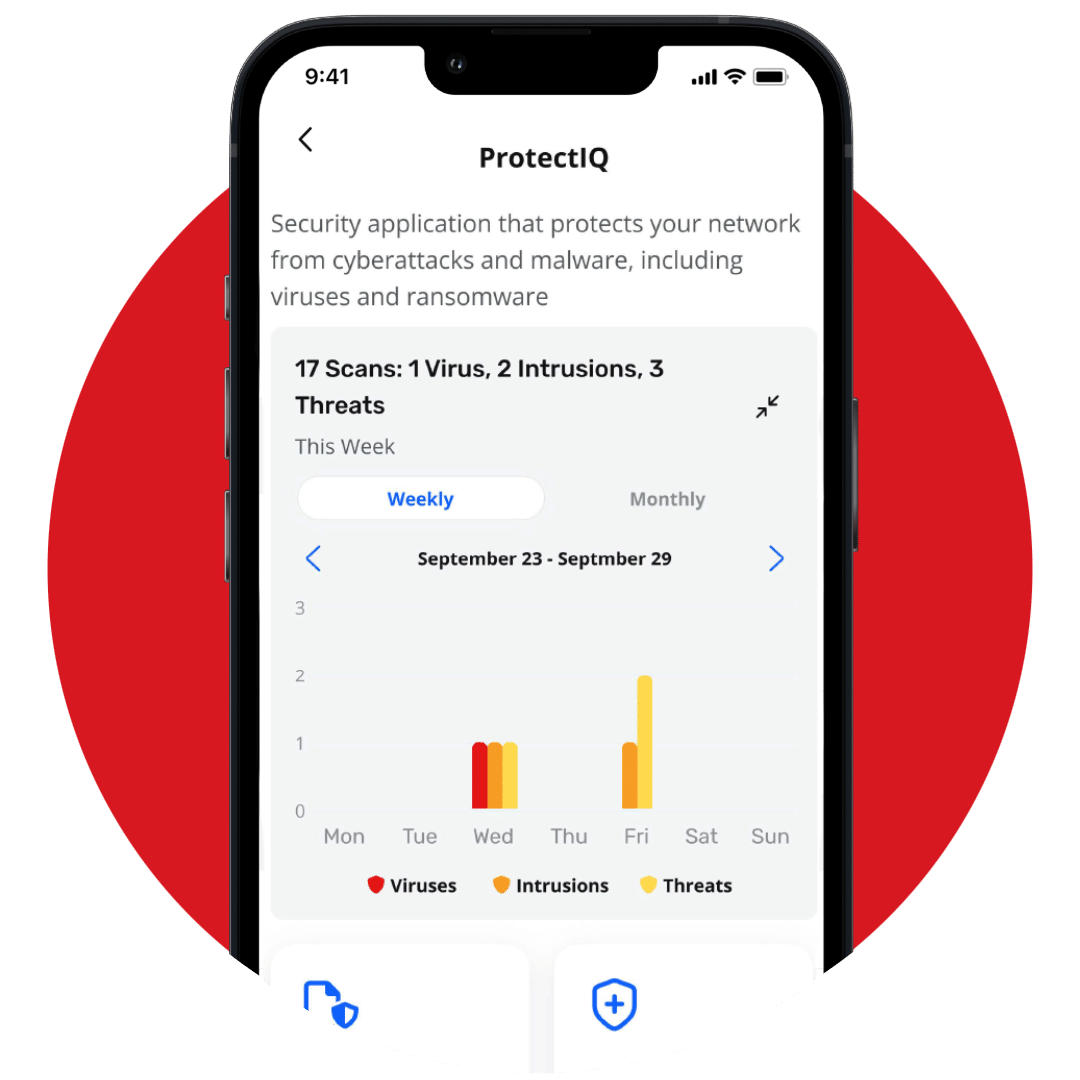
Protect IQ Details
What is ProtectIQ?
A network-level security service that protects ALL devices connected to your Wi-Fi. If it’s connected, it’s protected!
How does ProtectIQ keep my home network safe?
- Proactively monitors your home’s incoming traffic and automatically blocks anything suspicious.
- Blocks attempted visits to known harmful websites, presenting users with a browser message indicating that the website is not available.
- Provide an active security monitoring service that uses a large and constantly growing database of threats (database is updated weekly).
- Uses intrusion prevention settings (IPS) to monitor, notify, and prevent activity such as hackers trying to gain access to the local video content (Wi-Fi connected doorbell or baby monitor), virtual meetings, and other streams.
- Actively terminates data transfers before a malicious payload is delivered to any vulnerable network device.
- Notifies users whenever a security issue is triggered, with details about the device that was attacked, where the attack came from, and when the attack occurred.
How do I get ProtectIQ?
If you use Brooke Telecom's Managed WIFI service all GigaSpire Blast routers include the Protect IQ software that works quietly in the background on your netwok to provide an extra layer of protection against malicious traffic.
Data coming into your network will be scanned for viruses and other malicious content and you will receive a notification if content was blocked for some reason. This will show as a notification within the ProtectIQ main menu item in your Command IQ app.
No action is needed when you receive an alert. These threats are automatically blocked from entering your network.
Within the Command IQ app you can view your security status. Select “Services” from the bottom icons and “ProtectIQ”. You can see the viruses, intrusions and threats for the current week or the past 30 days and you can also select options including:
Trusted List - Shows items you have selected as trusted in your notifications screen.
Skipped Devices - Allows you to select devices that will be skipped during security scans.
Intrusion Settings - Allow you to enable an added layer of protection. Enable both options for the ultimate protection